BibBase.org facilitates the dissemination of scientific
publications over the Internet.
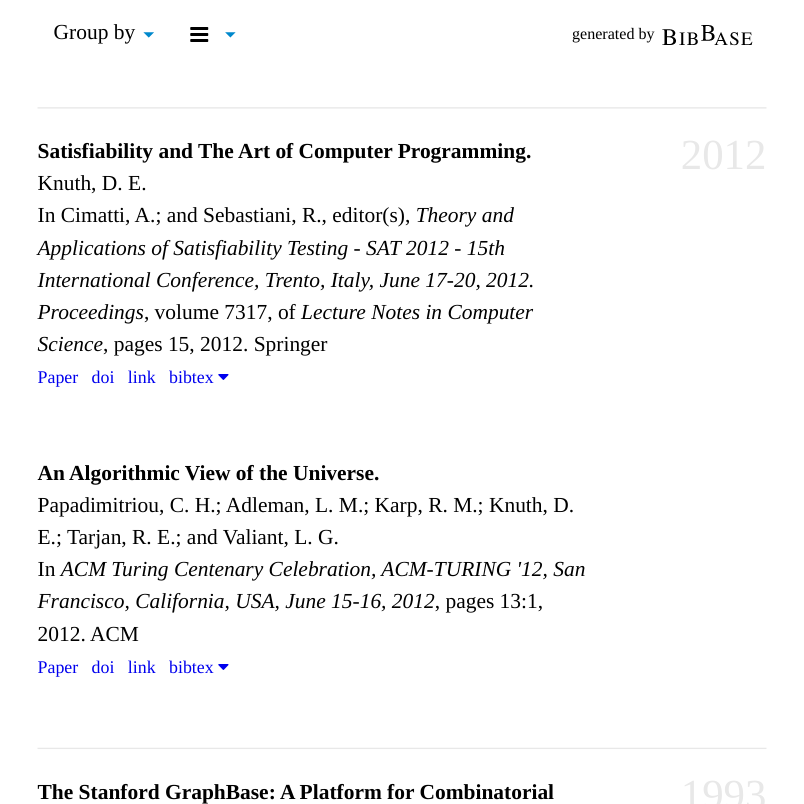
BibBase makes it easy for scientists to maintain their
publications pages. As a scientist, you simply maintain a BibTeX-file
of your publications, including links to the papers, and BibBase does
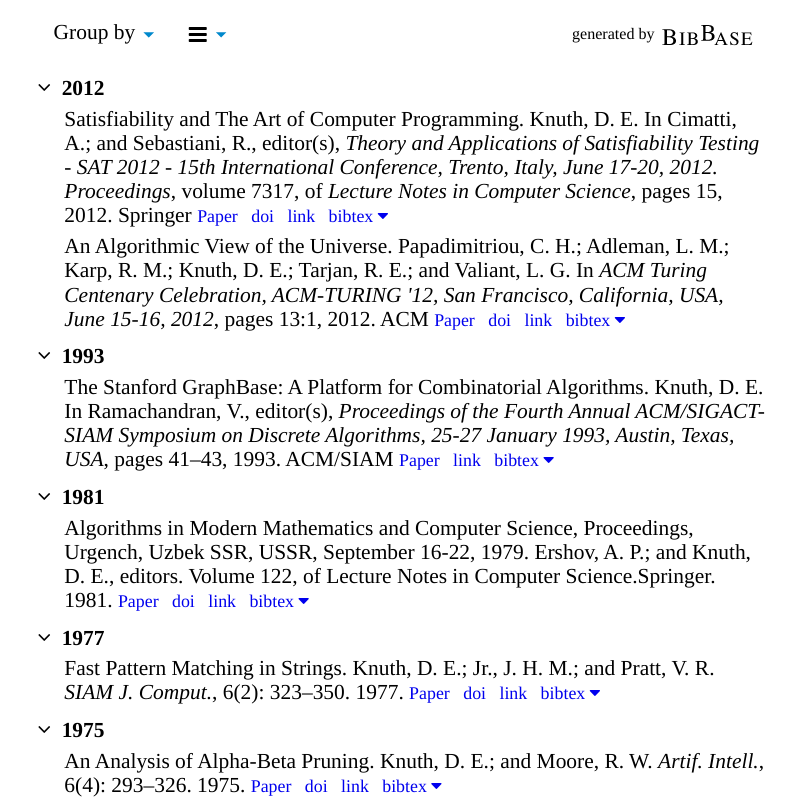
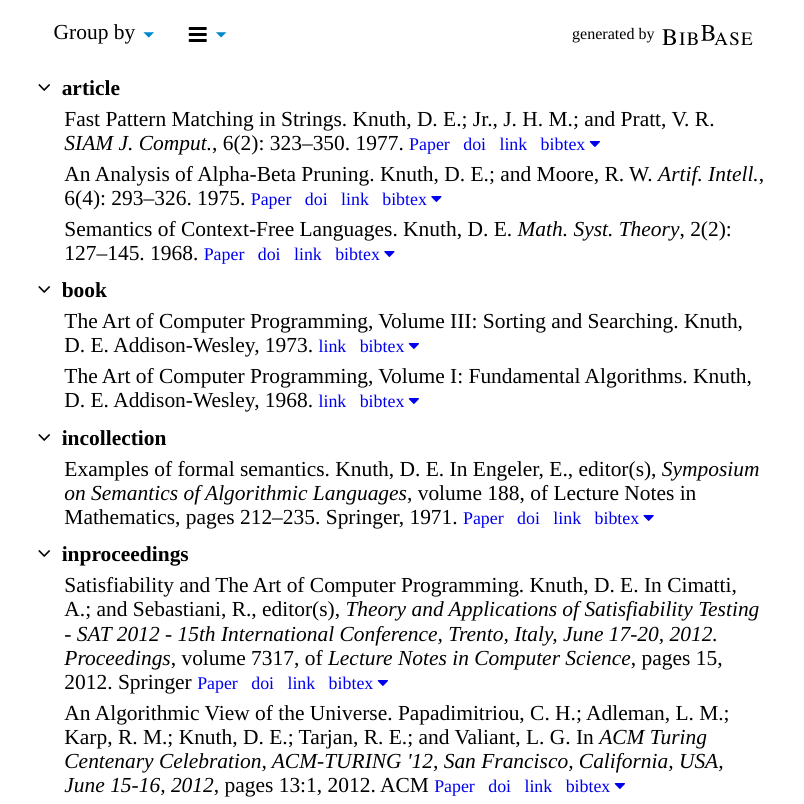
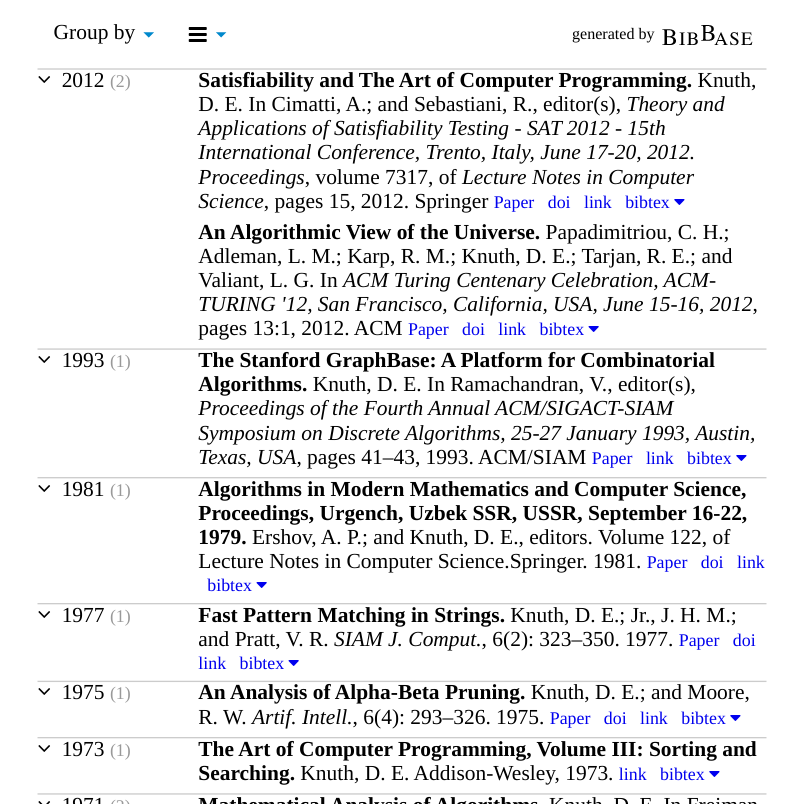
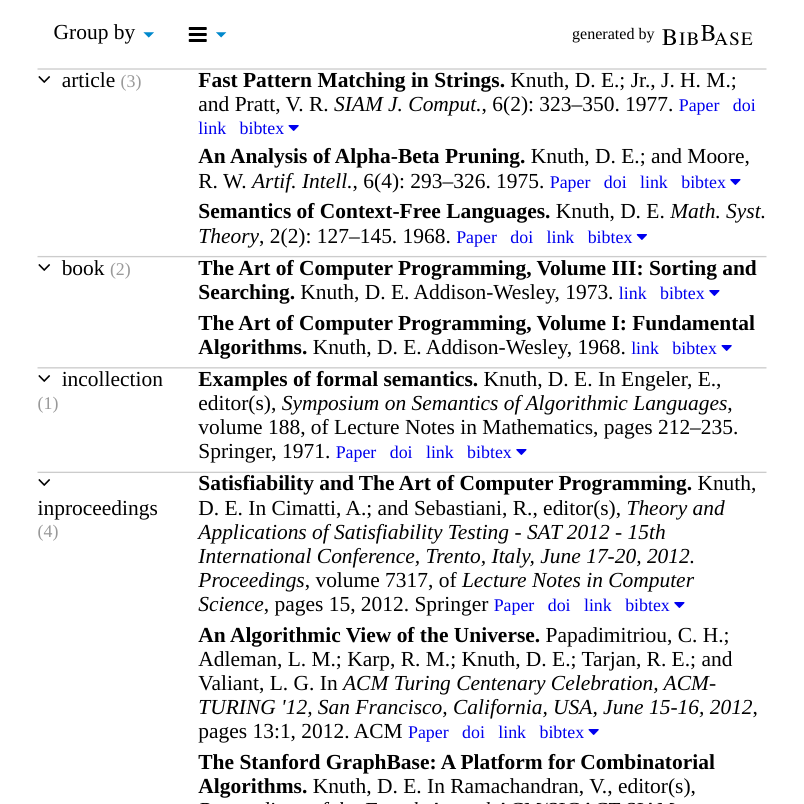
the rest. When a web user visits your publications page, BibBase
dynamically generates an always up-to-date HTML page from the BibTeX
file, and even allows the user to sort the publications by other than
the default ordering (e.g. year, author, keywords, research area,
publication type).
Example.
Together with each listed paper, the created page provides links
to your individual BibTeX-entries to ensure correct citing.
In addition, BibBase generates an RSS feed for
your publications. This means that other scientists can subscribe to
receive notifications whenever you publish new papers. Example.
Other features of BibBase include:
publishing of bibliographic information on the semantic web via data.bibbase.org,
count of page visits,
count of downloaded paper,
easy embedding in existing pages,
search engine friendly format.
News
February 2013: Created
a forum where you can leave
feedback, comment, and questions.
January 2013: Growth continues. This month for the first time,
BibBase saw over 4000 unique visitors, 4450 to be exact. This
is mainly due to a number of new
users and research
groups, who started using BibBase recently. The updated statistics
pages now only counts recent activity.
December 2012: Over the holidays I have rewritten the mechanism
for keeping logs and generating statistics (see links above). You will
now also notice a new feature on BibBase pages: counts of how many
times each paper was downloaded (by unique IPs), and at the bottom of
the page, the total number of unique visitors and downloads.
April 2012: BibBase's growth is steady. In March for the first
time BibBase saw more than 3000 unique visitors (IPs).
October 2011: In addition to the ability for individuals to
display their Mendeley-publications using BibBase, it is now also
possible for Mendeley groups to do the same: get
it
April 2011: Bibtex files are now cached. This further reduces the load-time for your publications page. BibBase will now only retrieve your bibtex file if it has been modified since the last time someone has visited your publications page. You should be able to notice faster page loads.
March 2011: By user request, it is now possible to customize the
appearance of the counts in the group headers. For instance, to make
them disappear entirely, you can just include the following in your
CSS definitions: span.bibbase_group_count { display: none; }
Personally, I am now using this feature on
my homepage to make the number a little bit smaller than the group
name. This is equally easy to do: span.bibbase_group_count {
font-size: smaller; }
See our example CSS
file for all possible ways to customize the appearance of your
BibBase page.
September 2010: Using the new triplified data, we have created
BibBase pages for each keyword. For instance, any paper "published on
BibBase", i.e., any BibTeX entry that was uploaded to BibBase either
via its regular use for display of publications on a personal page, or
via direct upload, and which is using the keyword "execution
monitoring", will be listed on this page: Papers
on "execution monitoring" on BibBase. An of course, it will also
show up in the corresponding RSS
feed of that page. Hence, anyone who is interested in this topic
and who subscribes to the RSS feed, will be immediately notified if
anyone is publishing a new paper on that topic — do long as the
authors use BibBase, of course.
July 2010: BibBase has been triplified: data.bibbase.org. All bibliographic data that is used with BibBase is now uploaded to a central repository where it can be searched and put in context of other data. For instance, for each keyword (used in any BibTeX file of a BibBase user), there is a page now listing all publications regarding that keyword. Also, for each author there is a unique URI listing all entries for that author, independent from where it was contributed. Personal publication pages remain unaffected from this, however, so the control over that list remains with the BibBase users (and always will).
Try it out!
There are numerous alternative ways in which you can get started using BibBase.
Use your own BibTeX file
See which of your publications we already have in our database
Use your Mendeley publications
If you are using Mendeley, then
you can now simply show your publications listed there on your web
page. Just following this link to retrieve
your BibTex file from Mendeley. Afterwards you will receive a link
and instructions on how to use that on your homepage or wherever you
would like to show your publications.
Once you have done one of the above, you are ready to embedd your
BibBase page on your homepage.
If you are an individual scientist, please refer to the Help page.
If you are looking for a unified solution for managing the
publications of your entire research group or department, including
automatically generated pages for each individual, please contact me
and look at this example
solution (look at "Publications", or navigate to "Faculty" or
"Students" and then click "selected publications" for any individual).
Feedback
Comments, questions, and suggestions are very welcome. Please send me
email at , see whether I am available on chat, or
leave feedback in the forum.
Thanks!
If you like bibbase, then please also check
out knistr.com.